


Run the digital clock off a battery


Thread Starter
Registered User
Joined: Jun 2010
Posts: 332
From: Tacoma, WA
Run the digital clock off a battery
So I got a tri gauge with a digital clock at a junkyard and wanted to put it in my car but I have an analog clock, so its missing some of the wires to get it to work with a digital clock.
I wanted to do some experiments to see if the clock actually worked, and to see if I could just run my own wiring in the car to power the clock. so I spent the last three hours or so trying to figure out which wire did what on the digital clock by looking at the tri gauge breadboard. For example if a line on the breadboard went to the voltmeter and also to a digital clock wire then I would figure that if the voltmeter is always on then this must keep the clock always on as well or, if a line goes to the ground for the running light bulbs then this must be the ground for the lights on the clock. anyway I connected two 6 volt batteries together, making them 12 volts, hooked up all the wires where I thought they should go and here is the result:
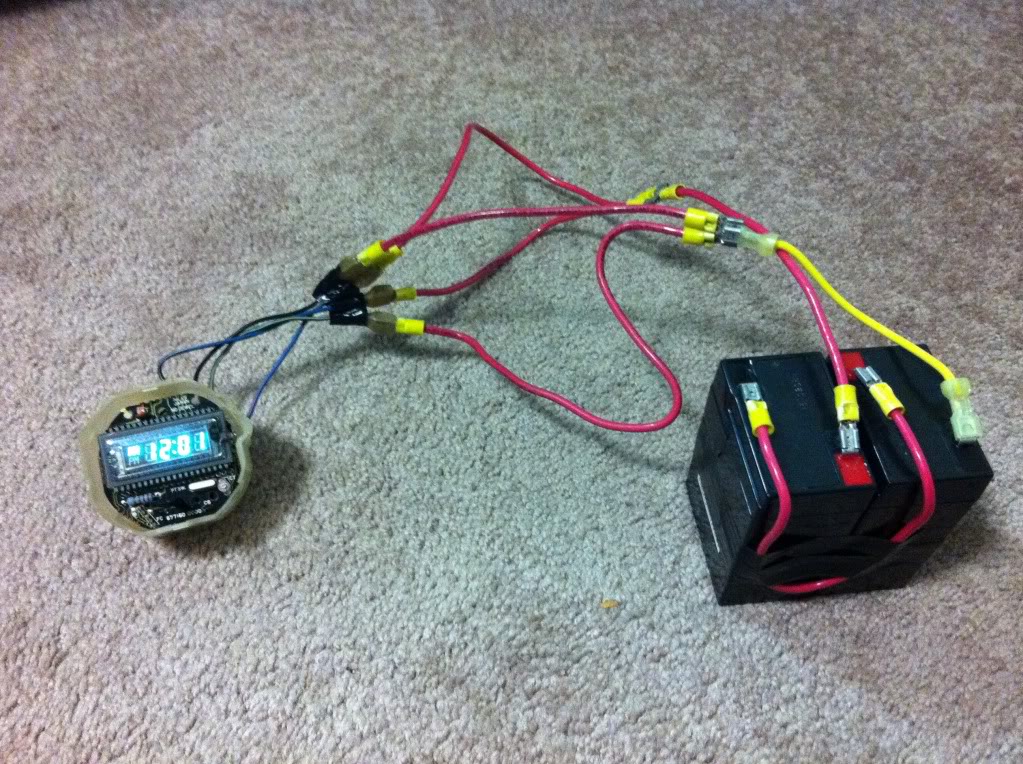
I just hope im not burning it up, has anybody seen the clocks glow? is it that bright?
I wanted to do some experiments to see if the clock actually worked, and to see if I could just run my own wiring in the car to power the clock. so I spent the last three hours or so trying to figure out which wire did what on the digital clock by looking at the tri gauge breadboard. For example if a line on the breadboard went to the voltmeter and also to a digital clock wire then I would figure that if the voltmeter is always on then this must keep the clock always on as well or, if a line goes to the ground for the running light bulbs then this must be the ground for the lights on the clock. anyway I connected two 6 volt batteries together, making them 12 volts, hooked up all the wires where I thought they should go and here is the result:
I just hope im not burning it up, has anybody seen the clocks glow? is it that bright?

More Than Meets The Eye
Joined: Feb 2005
Posts: 5,120
From: Mesa, Az
So I got a tri gauge with a digital clock at a junkyard and wanted to put it in my car but I have an analog clock, so its missing some of the wires to get it to work with a digital clock.
I wanted to do some experiments to see if the clock actually worked, and to see if I could just run my own wiring in the car to power the clock. so I spent the last three hours or so trying to figure out which wire did what on the digital clock by looking at the tri gauge breadboard. For example if a line on the breadboard went to the voltmeter and also to a digital clock wire then I would figure that if the voltmeter is always on then this must keep the clock always on as well or, if a line goes to the ground for the running light bulbs then this must be the ground for the lights on the clock. anyway I connected two 6 volt batteries together, making them 12 volts, hooked up all the wires where I thought they should go and here is the result:
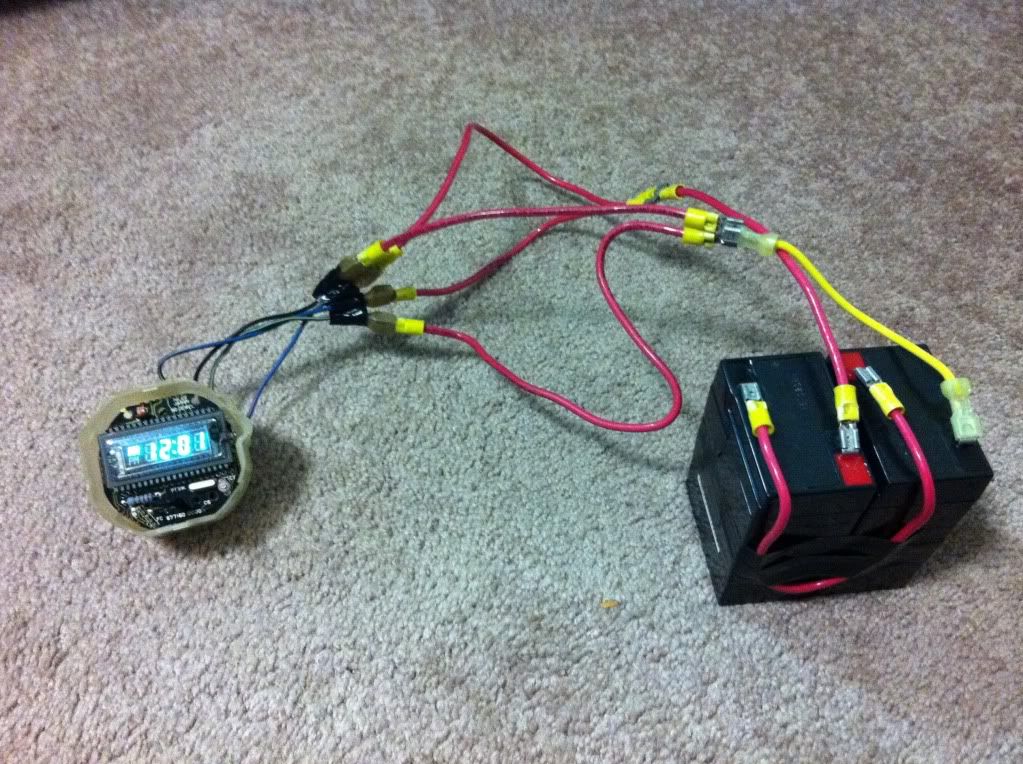
I just hope im not burning it up, has anybody seen the clocks glow? is it that bright?
I wanted to do some experiments to see if the clock actually worked, and to see if I could just run my own wiring in the car to power the clock. so I spent the last three hours or so trying to figure out which wire did what on the digital clock by looking at the tri gauge breadboard. For example if a line on the breadboard went to the voltmeter and also to a digital clock wire then I would figure that if the voltmeter is always on then this must keep the clock always on as well or, if a line goes to the ground for the running light bulbs then this must be the ground for the lights on the clock. anyway I connected two 6 volt batteries together, making them 12 volts, hooked up all the wires where I thought they should go and here is the result:
I just hope im not burning it up, has anybody seen the clocks glow? is it that bright?

Thread Starter
Registered User
Joined: Jun 2010
Posts: 332
From: Tacoma, WA
hey yours in gonna be a lot easier because its already wired, just hook the blue wire up to spot where the + symbol on the breadboard is, and hook the black next to the - symbol, there should be leads, those lines are always on.
and hey if you ever get a chance to turn on ur digital clock with the cover off could you feel the blue resistor with 3 brown bands and a gold band, mine gets really hot almost instantly and im wonding if that should happen, its easy to get to, you can actually see it in my picture. and u can get to it even with the metal mounts.
and hey if you ever get a chance to turn on ur digital clock with the cover off could you feel the blue resistor with 3 brown bands and a gold band, mine gets really hot almost instantly and im wonding if that should happen, its easy to get to, you can actually see it in my picture. and u can get to it even with the metal mounts.

Thread
Thread Starter
Forum
Replies
Last Post
vorhese234
280ZX Appearance Exterior, Interior
4
Feb 12, 2006 06:48 PM
Bookmarks


